Fidelio E6/12 Manual do Utilizador
Consulte online ou descarregue Manual do Utilizador para não Fidelio E6/12. Fidelio Trådløse hjemmebiograf-surroundhøjttalere E6/12 Brugervejledning Manual do Utilizador
- Página / 52
- Índice
- MARCADORES


- Brugervejledning 1
- Indholdsfortegnelse 2
- 1 Vigtigt 3
- Omsorg for miljøet 4
- Overholdelse 4
- 2 Produktet 5
- Fjernbetjening 6
- Trådløse surroundhøjttalere 7
- Trådløs subwoofer 8
- På venstre basehøjttaler 9
- På højre basehøjttaler 9
- 3 Tilslut og 10
- Dock surroundhøjttalerne 12
- TV'et via HDMI (ARC) 12
- AUDIO OUT 14
- 4 Indbygget 15
- Chromecast og 15
- Spotify Connect 15
- 5 Rumlig 17
- 6 Brug af 19
- Synkroniser video og lyd 20
- Automatisk lydstyrke 20
- Nattilstand 20
- Bluetooth på hovedenheden 21
- Bluetooth på en enkelt 22
- Bluetooth-stereo på trådløse 22
- 7 Opdater 25
- 8 Produktspecifi 26
- Advarsel 28
- Internettjenester 29
- License Texts and 31
- 5. OpenSSL 37
- Font Engine 38
- 8. Expat 39
- 9. libpng 39
- 10. SQLite 40
- 11. ncurses 5.7 40
- 14. ntpdate 4.2.6 48
- 15. libtom 48
- 16. c-ares 48
- 23. libxml2 50
- 24.xerces-c 50
Resumo do Conteúdo
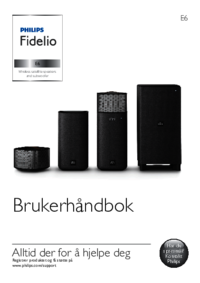
www.philips.com/supportBrugervejledningAltid klar til at hjælpe Registrer dit produkt, og få support på E6Wireless satellite speakersand subwooferE6Sp
9DA3 Tilslut og konfigurerDette afsnit hjælper dig med at tilslutte produktet til et TV og andre enheder og derefter med at kongurere det. Du kan få
10 DA1 Sæt den venstre og den højre trådløse højttaler i dock på hovedenheden (venstre og højre basehøjttaler) for at oplade højttalerne.2 Tænd for
11DABemærk •Surround-lyd afhænger af faktorer som f.eks. lokalets form og størrelse, væg- og loftsmateriale, vinduer og reekterende overader samt hø
12 DABemærk •100% kompatibilitet med alle HDMI CEC-enheder kan ikke garanteres. • Hvis dit TV ikke er HDMI ARC-kompatibelt, skal du tilslutte et lydka
13DAMulighed 1: Tilslut til en anden enhed via optisk kabelLyd i bedste kvalitet 1 Brug et optisk kabel til at forbinde OPTICAL-stikket på dette pr
14 DA1 Forbind HDMI OUT-stikket på den digitale enhed med HDMI IN 1/2 på dette produkt ved hjælp af et High Speed HDMI-kabel.2 Forbind HDMI OUT (ARC
15DA• Til iOS-brugere: Når du bliver bedt om det, skal du gå til iOS-enhedens Wi-Fi-liste for at vælge dette produkt og derefter vende tilbage til ap
16 DA5 Rumlig kalibreringRumlig kalibrering benyttes til at opnå en større bekvemmelighed og samtidig optimere oplevelsen af surroundsound i rummet.•
17DATrin 2: Kalibrering af surroundhøjttalerens placeringDette trin optimerer surroundoplevelsen ved hjælp af balancen mellem placeringen af de trådlø
18 DA6 Brug af produktetDette afsnit hjælper dig med at bruge dit produkt til at afspille lyd fra tilsluttede enheder.Inden du starter• Foretag de n
1DAIndholdsfortegnelse1 Vigtigt 2Sikkerhed 2Vedligeholdelse af dit produkt 3Omsorg for miljøet 3Overholdelse 3Hjælp og support 4Open source-softwa
19DASynkroniser video og lydHvis lyden og videoen ikke er synkroniseret, kan du forsinke lyden, så den kommer til at passe til videoen.1 Tryk på AUDI
20 DA• RPT ALL: Gentag alle spor i én mappe.• RPT RANDOM: Afspil i tilfældig rækkefølge i én mappe.• RPT OFF: Forlad gentagen afspilning eller vilk
21DABluetooth på en enkelt surroundhøjttalerDu kan bruge den venstre eller højre surroundhøjttaler som enkeltstående Bluetooth-højttaler, uafhængigt a
22 DA1 Tryk på knapperne på venstre og højre surroundhøjttaler for at skifte begge højttalere til Bluetooth-tilstand.• Kontroller, at begge surrou
23DA2 Tryk NFC-enheden mod mærket NFC på dette produkt, indtil du hører et bip fra dette produkt.• Sørg for, at produktet er tændt fra standby, og i
24 DA7 Opdater softwareOpdater dit produkt med den nyeste software for at få de bedste funktioner og den bedste support. Bemærk •Når produktet har opr
25DA3 Tilslut USB-lagerenheden til (USB)-stikket på dette produkt.4 Start Philips "HCWeSet"-app'en på din mobile enhed.• Sørg for
26 DA • I Europa er 5150-5350 MHz begrænset til indendørs brug. • Understøttelse af trådløse standarder: IEEE802.11 a/b/g/n • Understøttede kanaler:•
27DA9 FejlfindingAdvarsel •Risiko for elektrisk stød. Fjern aldrig kabinettet på dette produkt.Prøv aldrig selv at reparere produktet, da garantien i
28 DAKvaliteten af lydafspilning fra en tilsluttet Bluetooth-enhed er dårlig.• Bluetooth-modtagelsen er dårlig. Flyt enheden tættere på dette produkt
2 DA1 VigtigtSørg for at læse og forstå alle instruktioner, før du anvender produktet. Hvis der opstår skader, fordi instruktionerne ikke har været fu
29 Manufactured under license from Dolby Laboratories. Dolby, Pro Logic, and the double-D symbol are trademarks of Dolby Laboratories. For DTS patent
1License Texts and Acknowledgements for any open source software used in this Philips productInstructions to obtain source code for this software can
2You may charge a fee for the physical act of transferring a copy, and you may at your option offer warranty protection in exchange for a fee.2. You m
38. If the distribution and/or use of the Program is restricted in certain countries either by patents or by copyrighted interfaces, the original cop
44. Libnl, nopoll, nss-mdns, xzGNU LESSER GENERAL PUBLIC LICENSEVersion 2.1, February 1999Copyright (C) 1991, 1999 Free Software Foundation, Inc.59 T
5constitute a work based on the Library (independent of the use of the Library in a tool for writing it). Whether that is true depends on what the Lib
6is an executable linked with the Library, with the complete machine-readable “work that uses the Library”, as object code and/or source code, so that
7for this. Our decision will be guided by the two goals of preserving the free status of all derivatives of our free software and of promoting the sha
8* ANY DIRECT, INDIRECT, INCIDENTAL, SPECIAL, EXEMPLARY, * OR CONSEQUENTIAL DAMAGES (INCLUDING, BUT NOT * LIMITED TO, PROCUREMENT OF SUBSTITUTE GOOD
9CAUSED BY THE USE OR THE INABILITY TO USE, OF THE FREETYPE PROJECT.2. Redistribution-------------------This license grants a worldwide, royalty-free,
3DA• Når du skifter batterierne, skal du altid holde nye og brugte batterier uden for børns rækkevidde. Sørg for, at batterirummet er lukket ordentli
10Glenn Randers-Pehrsonglennrp at users.sourceforge.netFebruary 14, 200910. SQLiteAll of the deliverable code in SQLite has been dedicated to the HYPE
11EVENT SHALL INTERNET SOFTWARE CONSORTIUM BE LIABLE FOR ANY SPECIAL, DIRECT, INDIRECT, OR CONSEQUENTIAL DAMAGES OR ANY DAMAGES WHATSOEVER RESULTING F
120. If you receive a version of the software that is specically labelled as not being for redistribution (check the version message and/or README),
13IN ANY WAY OUT OF THE USE OF THIS SOFTWARE, EVEN IF ADVISED OF THE POSSIBILITY OF SUCH DAMAGE. The le posix/runtests.c is copyright Tom Lord:Copyri
14For example, if you distribute copies of such a program, whether gratis or for a fee, you must pass on to the recipients the same freedoms that you
15limit operation or modication of the work as a means of enforcing, against the work’s users, your or third parties’ legal rights to forbid circumve
167. Additional Terms.“Additional permissions” are terms that supplement the terms of this License by making exceptions from one or more of its condit
17to copy, free of charge and under the terms of this License, through a publicly available network server or other readily accessible means, then you
18You should have received a copy of the GNU General Public License along with this program. If not, see <http://www.gnu.org/licenses/>.Also add
1917. cJSONCopyright (c) 2009 Dave Gamble Permission is hereby granted, free of charge, to any person obtaining a copy of this software and associated
4 DAHjælp og supportDu kan nde omfattende onlinesupport på www.philips.com/support for at:• downloade brugervejledningen og lynvejledningen• se vid
20This package may include either wpa_supplicant, hostapd, or both. See README le respective subdirectories (wpa_supplicant/README or hostapd/README)
21worldwide, non-exclusive, no-charge, royalty-free, irrevocable copyright license to reproduce, prepare Derivative Works of, publicly display, public
Specifications are subject to change without noticeCopyright © 2015 Gibson Innovations Limited. Revised Edition © 2017This product has been manufactu
5DAf NFC mærkeg Røde/hvide/orange LED'erRød LED• Lyser, når produktet er i ECO-standby (ikke sluttet til netværket).Hvid LED• Blinker, når pr
6 DA• HDMI 2: Skift kilde til HDMI IN 2-tilslutning.• COAX: Skift lydkilden til den koaksiale forbindelse. • OPTICAL: Skift lydkilden til den optis
7DA• Lyser rødt, når der er mindre end 30 % af batterikapaciteten tilbage.• Blinker rødt, når der er mindre end 10 % af batterikapaciteten tilbage.•
8 DAStikDette afsnit indeholder en oversigt over de tilgængelige stik på produktet.På venstre basehøjttaler a TO R SPEAKERSlut til højre basehøjttal
Mais documentos para não Fidelio E6/12






Manuais e produtos relacionados com não Fidelio E6/12
 (24 páginas)
(30 páginas)
(33 páginas)
(34 páginas)
(24 páginas)
(30 páginas)
(33 páginas)
(34 páginas)
 (20 páginas)
 (26 páginas)
 (20 páginas)
 (2 páginas)
(30 páginas)
(2 páginas)
(30 páginas)
 (14 páginas)
(19 páginas)
(2 páginas)
(14 páginas)
(19 páginas)
(2 páginas)
 (30 páginas)
(18 páginas)
(20 páginas)
(30 páginas)
(18 páginas)
(20 páginas)
 (32 páginas)
(20 páginas)
(32 páginas)
(20 páginas)
 (24 páginas)
© 2020, manymanuals-pt.com. Todos os direitos reservados. | 0.057 s |
 Manymanuals.com
 Manymanuals.de
 Manymanuals.fr
 Manymanuals.it
 Manymanuals.pl
 Manymanuals.cz
 Manymanuals.es
 Manymanuals-pt.com
Comentários a estes Manuais